Night Rider’s spray-style customization is handled through the bike’s Customization Mode, where you can change the motorcycle’s paint appearance and inspect other visual options. The currently supported evidence confirms Paint, Finish, and Wheels, plus shop-listed options such as Underglow, RGB Lighting, and Custom Plates. It does not establish a complete spray inventory, a fixed color list, or current prices for those cosmetics, so use the live customization panel as the final reference.
What “spray” customization covers
The closest confirmed match for a Night Rider spray customization request is the Paint area. Paint changes the motorcycle’s visible color, while Finish changes the surface treatment shown with the paint. A recorded customization example selects red paint, and another shows white wheels, but those demonstrations are examples rather than a complete list of colors or wheel choices.
Keep the visual categories separate when deciding what to buy:
| Category | What it changes | What is confirmed |
|---|---|---|
| Paint | Main motorcycle color | Paint selection is available; red is shown in a recorded example |
| Finish | Surface appearance of the paint | A Finish palette is shown, but every finish name and price is not confirmed |
| Wheels | Wheel or rim appearance | White wheels are shown in a recorded example |
| Underglow | Light effect beneath the motorcycle | Listed as a Shop option; current price and availability can change |
| RGB Lighting | RGB lighting effect | Listed as a Shop option; current price and availability can change |
| Custom Plates | Plate display customization | Listed as a Shop option; text rules and full pricing are not confirmed |
This distinction helps avoid treating a paint change as a performance upgrade. Paint, finish, wheels, and shop cosmetics are for presentation. Engine and Transmission are separate performance categories that should be evaluated from the performance panel rather than from the spray preview.
How to open the paint panel
- Select the intended motorcycle. Start from the
Garageor garage work area and make sure the bike you want to alter is selected. The customization view belongs to the selected vehicle, so checking the bike first prevents an appearance change being applied to the wrong motorcycle. - Enter
Customization Mode. Use the visibleEnter Customization Modeaction in the garage. The customization screen is where the appearance categories and the performance categories can be inspected. - Open
Paint. ChoosePaintto review the available color choices. Select a color to preview the result on the motorcycle; the recorded examples show red as one possible selection, not as a universal required choice. - Review
Finishseparately. If the paint panel exposes a Finish palette, compare the surface effect after choosing the base color. The available evidence does not confirm every label, cost, or whether every finish is available for every bike. - Check the preview and purchase state. Before confirming anything, look at the selected motorcycle, the final cart amount, and any displayed ownership or lock state. If the interface changes or prices differ from an older recording, follow the current panel.
- Return to the Garage and verify. After applying a customization, check that the same motorcycle is still selected and that the appearance is visible on the owned vehicle. This is also the point to confirm that a cosmetic change did not get confused with a new bike purchase or a performance upgrade.
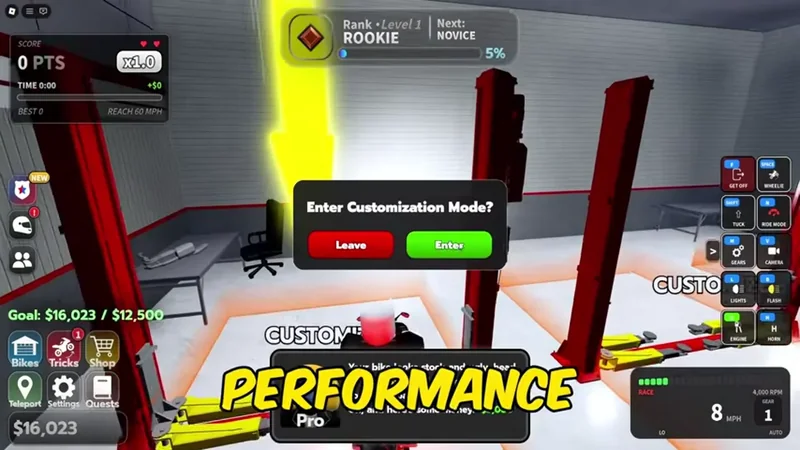
Enter Customization Mode from the Garage after selecting the motorcycle you want to change.
The exact button labels can vary with the current test build and platform. The reliable checkpoints are the selected bike, the Customization Mode entry, the visible Paint or Finish preview, and the final confirmation state.
Paint, finish, and wheel choices
Paint is the most direct route for changing a motorcycle’s spray appearance. The evidence confirms that the player can select a new paint color in Customization, and a recorded demonstration uses red. That does not prove that red is the only color, that every displayed color is available on every motorcycle, or that the price is stable. Treat the live color swatches and their current purchase state as authoritative.
Choose a paint color in Night Rider Customization
This moment supports the paint-selection workflow and shows red as one recorded color choice, while the live panel remains authoritative for current options.

Finish is a second layer of visual choice. The available capture shows a Finish palette alongside the paint controls, which means it should be checked after choosing the base color rather than assumed to be another paint color. The full set of finish names and their prices is not established, so do not rely on a remembered list from a previous session.
Wheels affect the motorcycle’s visible wheel or rim style. A white-wheel combination is shown in a recorded customization example. It is useful as a style reference, but it is not a catalog of all wheel options. Before confirming a wheel choice, check which bike is selected and whether the option is presented as owned, available, locked, or purchasable in the current interface.
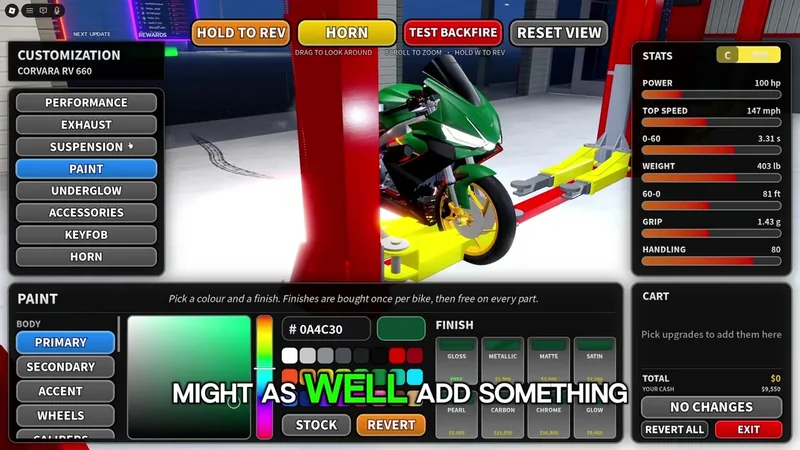
Compare the bike color and Finish palette in the customization panel before confirming the appearance choice.
These visual choices should be judged by the result you want to display. If the goal is a bold color, start with Paint and then compare Finish variants. If the goal is a coordinated build, check the wheel preview after the paint rather than assuming the wheel color follows the body color. If an option does not appear, the evidence does not support a universal unlock rule; use the current screen instead of repeatedly buying or switching vehicles.
Compare wheel appearance in Night Rider Customization
This moment supports checking the wheel preview as a separate appearance choice and shows white wheels as a recorded style example.
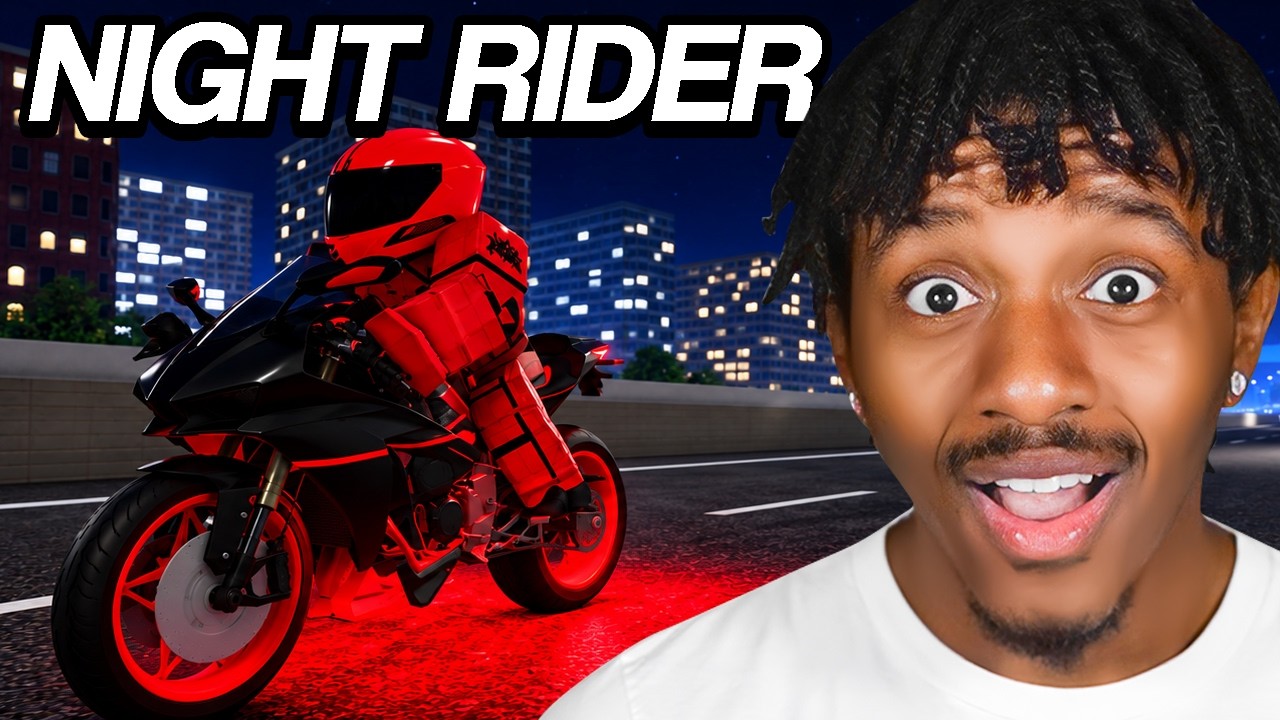
Shop lighting and plate cosmetics
The Shop area extends customization beyond the basic paint controls. The confirmed Shop entries are Underglow, RGB Lighting, and Custom Plates. These are appearance options, not confirmed speed or handling upgrades. The available evidence suggests that some Shop cosmetics may use Robux, while motorcycle purchases and the Engine or Transmission categories involve Cash. Check the currency shown in the purchase prompt before confirming.
Underglow adds a visible light effect beneath the motorcycle. RGB Lighting is a separate lighting-style option, so do not assume that buying one automatically provides the other. Custom Plates changes the plate presentation, but the available material does not establish the allowed text format or a complete price. If any of these items is locked, discounted, or absent, the current Shop state takes priority because the game is still in testing and cosmetic listings can change.
For a safe purchase, compare the preview with the selected vehicle, confirm whether the prompt uses Cash or Robux, and review the cart total before accepting. If currency is deducted but the item does not appear, do not immediately purchase it again. Keep the transaction details and use the game’s official support route rather than treating a second purchase as a fix.
Do not confuse cosmetics with performance upgrades
Customization also exposes Engine and Transmission, but these are not spray options. Engine upgrades are shown by stage, and one recorded preview displays Stage 1 with a $5,250 cart total. That amount belongs to the recording’s interface state and should not be treated as a current fixed price. Transmission also contains an upgrade category, with some entries shown as locked; the available evidence does not establish the exact level requirements or Cash costs.
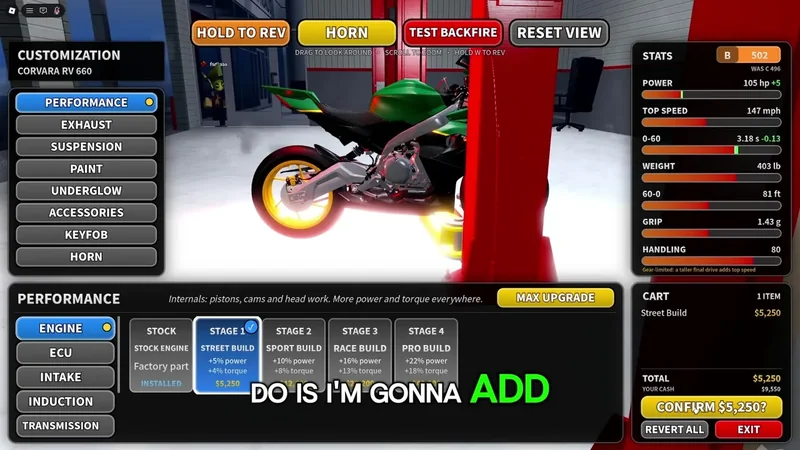
The Engine panel shows a Stage 1 preview and a recorded $5,250 cart total; current prices may differ.
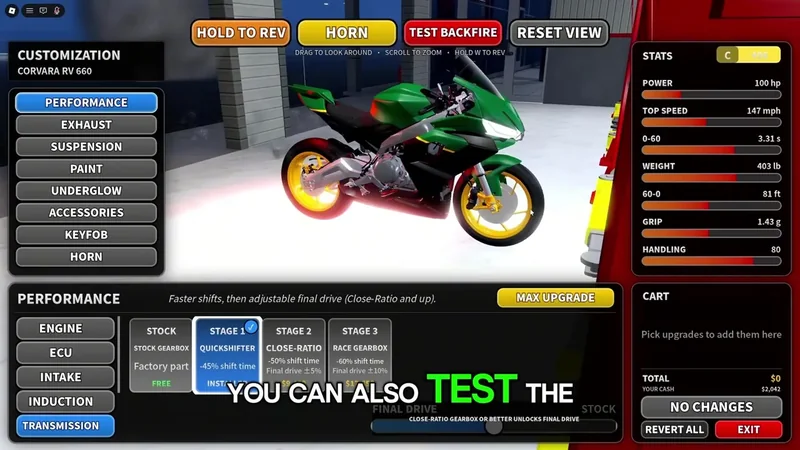
Transmission is a separate performance category shown alongside the vehicle performance panel.
Use the performance panel when your goal is speed, handling, or riding efficiency. Use Paint, Finish, Wheels, Underglow, RGB Lighting, or Custom Plates when your goal is appearance. The evidence does not provide a single guaranteed performance increase for each engine or transmission stage, so avoid choosing an upgrade based only on a cosmetic preview or an old cart total.
This separation is especially important after buying a motorcycle. A dealership purchase reduces the Cash available for later upgrades, while some Shop cosmetics may use Robux. Compare the motorcycle’s purchase cost with the cost of upgrading a bike you already own, then return to the Garage and verify the ownership and equipped state before spending on appearance.
Current limits and decision rules
Night Rider is still presented as a test-stage game in the available guide evidence. Customization categories, discounts, prices, unlock conditions, and item lists can therefore move between updates. The evidence supports the workflow and category relationships, but not a complete current spray catalog.
Use these rules when the panel does not match an older demonstration:
- Trust the currently selected motorcycle and the live Paint, Finish, or Wheels preview over a remembered color list.
- Treat red paint and white wheels as demonstrated examples, not guaranteed recommendations or exhaustive choices.
- Check the currency and cart total for every Shop cosmetic; do not assume all appearance items use the same budget.
- Treat a locked Transmission entry as unavailable until the live panel explains its requirement; do not guess the level or Cash cost.
- Verify the result in the Garage after confirming a purchase, especially if you switched bikes during customization.
- If a purchase is charged but the appearance is missing, avoid repeating the transaction and use official support with the transaction record.
The practical answer to “where is the Night Rider spray customization?” is therefore: select the bike in the Garage, enter Customization Mode, open Paint, and then compare Finish and Wheels before checking the separate Shop lighting and plate options. The game confirms the categories, but the live interface remains the authority for the full selection and current costs.
Night Rider spray customization FAQ
Where do I change a Night Rider bike’s spray color?
Select the motorcycle in the Garage, choose Enter Customization Mode, and open Paint. The live panel controls the available colors and current purchase state.
Is red the only confirmed Night Rider paint color?
No. Red is shown in a recorded example, but the available evidence does not establish a complete color list or prove that red is the only option.
Do Paint and Finish change motorcycle performance?
They are appearance categories. Use Engine or Transmission for performance-related upgrades and rely on the current performance panel for any displayed values.
What should I do if a cosmetic purchase does not appear?
Check the selected bike and Garage state first. If Cash or Robux was deducted but the item is still missing, do not buy it again; keep the transaction details and contact official support.
SourcesReviewed November 10, 2026
https://www.nightriderroblox.wiki/guides/bikes-and-customization/